

Your store is where your animals live on bask, and its name and location appear on every listing. You need one before you can list anything. Go to My store once you've created an account.
The details
- Store name, up to 64 characters. Names that read as bask or as staff, such as "Bask Support", aren't allowed.
- Store handle, your public address:
baskmarket.co.uk/@your-handle. 3 to 30 characters, made of lowercase letters, numbers, dashes or underscores, starting and ending with a letter or number. The box tells you straight away whether it's free. Leave it blank and bask makes one from your store name. - Location, such as "Bournemouth, United Kingdom".
- About, a few lines on you and your animals.
- Store policy: deposits, payment, collection and delivery terms. A buyer agrees to it before sending you an enquiry, so it's worth getting right.
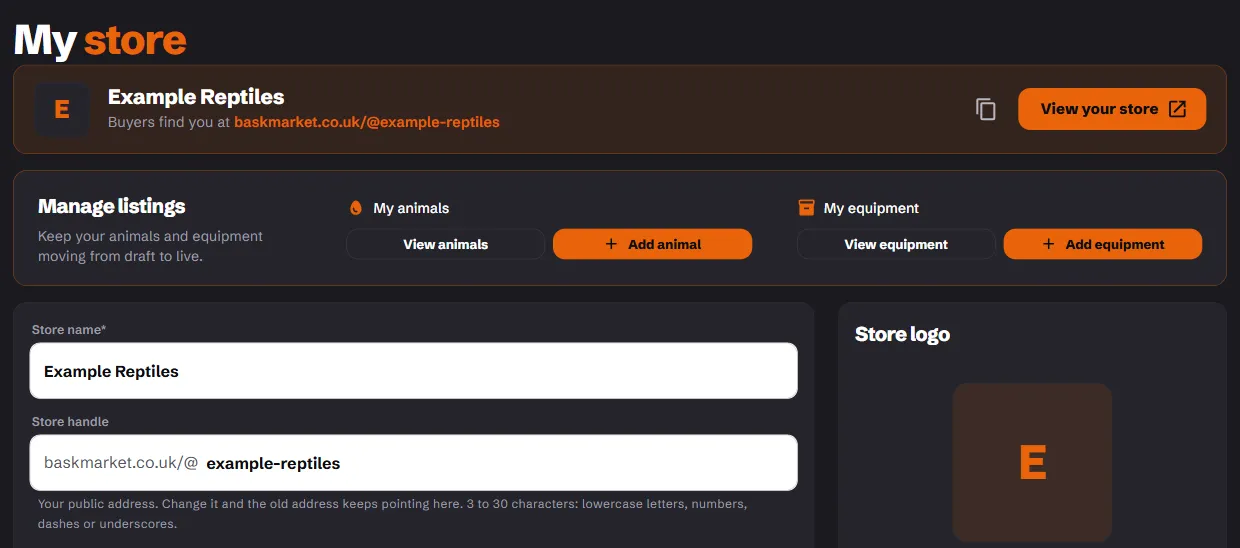
You can change your handle later. Your old address keeps working and points to the new one, and nobody else can ever claim it, so a card or QR code you've printed never lands on someone else's store.
Who you sell as
Choose one under Selling status:
- Private keeper: you keep and breed as a hobby, not as a business.
- Licensed seller: you hold an animal activities licence from your local council. Add the Licence number, the Issuing council and, in England, the Council star rating. bask shows them on every advert for you, which the licence requires.
- Trade seller: you sell to the trade or other breeders only, not to pet keepers. Your adverts tell buyers that.
If you sell animals as a business, the law needs you to hold a council licence. The selling rules explain each option.
Social links
Add your Instagram, Facebook, YouTube, TikTok or website, and they show on your store page. There's also a switch to keep your store out of bask's own Instagram and Facebook posts.
Choose Create Store (or Save store details later).
Making it yours
Once your store exists, more appears on the page:
- Store logo. Add one: it's the largest thing on your store page.
- Store layout. On Hobbyist and Breeder, pick a header (your photos, a colour, or your own image) and where your name sits.
- On Breeder, arrange the sections of your store page, add your story, a banner, a bundle offer, a default sort order and up to five featured animals, and pin your best reviews.
Moving to a smaller plan hides the extras; it doesn't delete them.