

You can browse bask without an account. You'll need one to message a seller, save animals across devices, follow a store, leave a review or sell.
Sign up with your email
- Choose Log In at the top of any page, then Register.
- Fill in a username, your email address and a password.
- Tick I am 18 or over. bask is for adults.
- Submit the form. bask emails you a code.
- Type the code into the page, tick I am 18 or over again, and choose Register. Your account is created once the code is in.
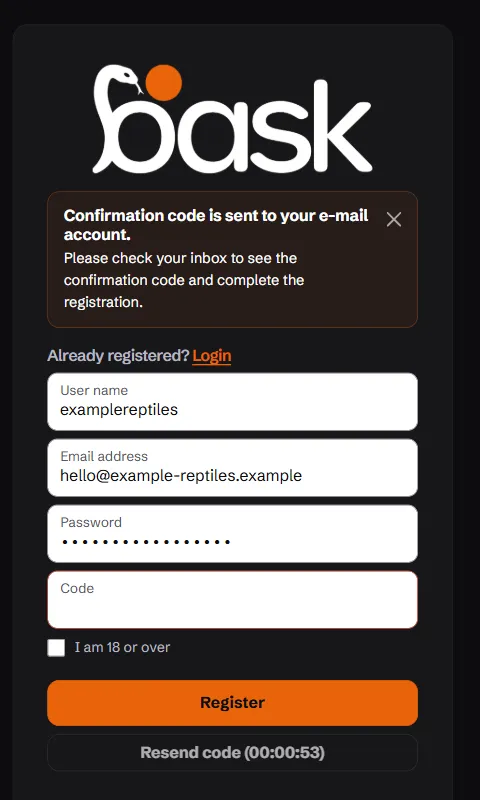
No code? Check your spam folder, then use Resend code. You can ask for a new one once a minute.
Sign up with Google
Choose Google on the sign-in or register page and pick your Google account. You'll still be asked to confirm you're 18 or over. Google has already confirmed your email address, so there's no code to type.
Signing in
Sign in with your username or email and your password, or with Google. An account whose email hasn't been confirmed is asked to confirm it first, and bask sends the link again.
Once you're in, bask takes you to your dashboard: the buying side if you're here to find an animal, the selling side once you have a store.
Next
- Here to sell? Set up your store.
- Here to buy? See Buying on bask.
- Choose which emails and phone notifications you get on Notifications.