

Bulk add lists a whole clutch or batch in one go. Set the details they share once, then add a row for each animal. Open it from My animals → Bulk add.
Holding a lot of stock on the Breeder plan? The stock room is quicker still for adding lines and marking sales.
1. Shared details
Everything here goes on every animal: category, type, birth year, maturity, origin, status, diet, delivery, description, locality, and the sire and dam with their morphs. For babies, tick Eating unassisted here once they all are.
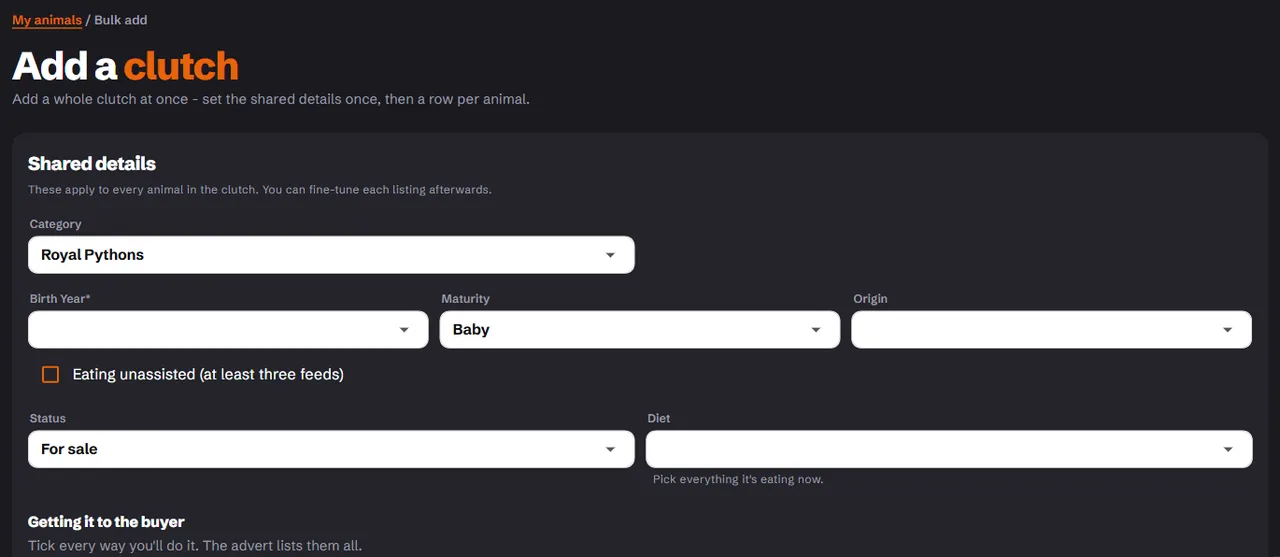
2. A row per animal
Each row has its own title, sex, weight, price and morphs. Use Duplicate to copy a row and change only what differs, or remove a row you don't need. You can add up to 30 rows at a time, and the page tells you if that would take you past your plan's listing limit.
Leave the title blank and it fills in from the morphs, visuals first and then hets, such as "Pastel Clown" or "66% dbl het Clown Desert Ghost". A title you type yourself is never changed.
3. Create the drafts
Choose Create drafts. Every animal becomes its own listing, saved as a draft.
4. Photos, then live
The finish step lists each draft with its state: Needs a photo, Ready - activate or Live.
- Choose Add photo on each row and add a photo of that animal.
- Choose Set live.
Each draft needs its own photo before it can go live, because a buyer should see the animal they're buying. Use Edit on a row to add more photos or anything else.
When you're done, choose Add another clutch or Done.
Related
- List an animal: what each field means.
- Import from MorphMarket